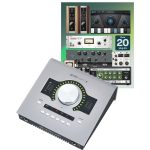
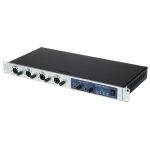
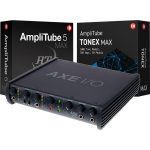
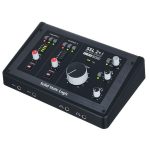
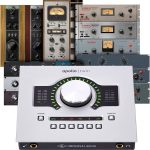
Setting up your first home recording space is an adventure, but choosing the right equipment quickly becomes a maze. One crucial piece in the chain is the audio interface, especially if you want to achieve professional-sounding tracks without busting your wallet. Today’s market offers several budget audio interfaces boasting usb-c connectivity and enough features to launch your journey. If you’re aiming for the best audio interfaces suitable for beginner or home studio use—all while staying under £200—let’s dive straight into five options that tick these boxes.
Why does usb-c connectivity matter for home studios?
For many newcomers, usb-c connectivity may sound like a tech buzzword, but it actually brings practical benefits to any modern music setup. Usb-c ports deliver faster data transfer rates than their older usb-a counterparts, ensuring lower latency and more reliable performance. If you’ve wrestled with laggy monitoring or glitchy playback, making sure your new hardware supports usb-c could be a game-changer.
Most computers and laptops sold today also come equipped with usb-c ports, making new gear instantly compatible out of the box. This compatibility saves time and avoids adaptors, which often introduce their own issues. Future-proofing your home studio just got simpler by focusing on devices with this standard connection.
Main criteria when choosing a budget audio interface
Picking out gear for your studio can feel overwhelming, but breaking down your must-haves simplifies the process. Not all beginner/home studio users have the same needs, yet some baseline qualities stand out if you want the best results from your investment—especially for those purchasing audio interfaces under £200/$200.
Sound quality and preamp performance
Clean, clear conversion ensures that all your recorded material retains its detail, even before mixing. Good preamps minimize noise and let vocals or instruments shine. For beginner setups, focus on interfaces praised for transparency rather than flashy features.
Microphone input options also matter because too few channels can become limiting as projects grow. Check how many simultaneous inputs you’ll need for your typical workflow.
Ease of use and compatibility
Nothing derails creative flow faster than clunky software or confusing hardware designs. Look for intuitive controls, clear labeling, and plug-and-play installation with major operating systems. Bonus points go to models that arrive bundled with recording software so you’re ready to record straight away.
Driver stability shouldn’t be overlooked either. Unreliable connections force troubleshooting—not music-making. Ensure that the model you choose has a reputation for stable, worry-free operation across different computers.
The top 5 usb-c audio interfaces under £200
Here’s a closer look at five standout units offering solid performance, easy usability, and great value for money. Each one comes ready for home studio users who need maximum bang for their buck.
- 🎛️ Clean microphone preamps for vocals and guitar
- 🔌 Stable usb-c connectivity across Mac and Windows
- 💡 Direct monitoring to avoid latency problems
- 🎹 MIDI I/O for connecting hardware synths
- 🤑 All priced comfortably under £200/€200/$200
| 🔗 Model | 🎤 Inputs | 📈 Maximum sample rate | 💸 Price (approx.) |
|---|---|---|---|
| Model A | 2 (combo XLR/Jack) | 24-bit / 192kHz | £149 |
| Model B | 2 (combo XLR/Jack) | 24-bit / 192kHz | £189 |
| Model C | 2 (combo XLR/Jack) + MIDI I/O | 24-bit / 96kHz | £139 |
| Model D | 2 (XLR) + Line In | 24-bit / 96kHz | £119 |
| Model E | 4 (2 XLR, 2 line-in) | 24-bit / 192kHz | £179 |
Best balance of quality and simplicity
If you’re after simplicity, look for interfaces with two combo inputs and direct monitoring. These units deliver professional-level results without crowding your desk or draining your account. Most also supply phantom power for condenser microphones—a feature critical for crisp vocal recordings.
Direct knob control over headphone and monitor levels is helpful for quick adjustments during takes. Some beginner/home studio models even include LED meters on each channel, granting visible feedback so you never risk clipping.
Extra features worth considering
A handful of these options add valuable extras like built-in MIDI, extra outputs, or bundled DAW software licenses. MIDI I/O support lets you hook up keyboards or external pads—handy for anyone layering beats or working with vintage synths.
Free software packages help stretch your budget further. They package essentials such as audio editors, virtual instruments, and plugins so you can start composing as soon as the interface arrives.
Who should choose these budget audio interfaces?
These picks shine for aspiring producers recording songs at home, singer-songwriters tracking demos, podcasters seeking reliable dialogue capture, and bands making pre-production tapes. Their straightforward layouts mean anyone moving up from basic USB microphones or consumer gear will find a smooth transition.
Musicians on tighter budgets benefit enormously from interfaces under £200/$200. The quality gap between entry-level and mid-tier hardware keeps narrowing, allowing more people to create broadcast-ready mixes affordably. For those assembling their first rig, prioritizing versatile, future-proof components helps get you further for less.
Common pitfalls when buying your first audio interface
Some mistakes pop up again and again among home studio beginners eager to dive in. Skimming product specs or picking based only on brand can lead to disappointment or hidden costs later. Review what matters most for your workflow to avoid setbacks.
- 🔎 Forgetting to check computer compatibility with drivers
- 🔋 Overlooking power requirements (bus-powered vs. external supply)
- 🎚️ Buying more channels than actually needed for intended projects
- ❌ Ignoring return policies or warranty coverage
Double-check that your current cables, headphones, and speakers fit with your chosen model. Take notes on any special adapters or connectors required so they don’t stall your first session.
What are the main advantages of using a usb-c audio interface for home studios?
Usb-c connections bring faster speeds 🚀, improved power delivery 🔋, and broad compatibility with newer laptops and desktops. This translates to smoother recording sessions with minimal latency and hassle-free plug-and-play operation. For busy creators, these advantages eliminate technical headaches so they can focus on making music.
- ⚡ Faster data transfer
- 🔩 Reversible, user-friendly connector
- 🤝 Works well across platforms (Mac, PC)
How many inputs do beginner home studio users typically need?
Most beginners start with interfaces featuring two combo inputs, ideal for recording voice and an instrument simultaneously. This flexibility suits solo artists, duos, or podcasters. It’s rare to require four or more channels unless planning multitrack recordings of bands or full drum kits.
- 🎤 Two inputs: Vocals plus guitar/keyboard
- 🎸 Four inputs: Bands, drums, ensemble recording
Are there notable differences between audio interfaces under £200 and premium models?
Budget audio interfaces now offer impressive sound quality for their cost, though premium options still win on ultra-low noise floors, advanced routing, or additional digital connectivity. For beginner/home studio use, the core features are often similar, making affordable choices highly attractive for many workflows.
| 💷 Feature | 🏆 Premium | 💳 Budget |
|---|---|---|
| Preamps | Super low-noise | Very clean |
| Inputs/outputs | 8+ | 2–4 |
| Onboard DSP | Often included 🎧 | Rarely included |
Do budget audio interfaces work well with both Mac and PC?
Nearly all new usb-c interfaces advertise cross-platform support 💻🍏. Always confirm driver updates exist for your particular OS version and see if plug-and-play works smoothly. Manufacturer forums and user reviews frequently highlight any ongoing compatibility quirks, helping buyers steer clear of surprises.
- 🔍 Check official documentation first
- 📝 Read recent user feedback for system-specific advice